
24,555
ARTICLES
ON THIS WIKI
ON THIS WIKI
Glowstone Illuminator
| Glowstone Illuminator | |
|---|---|

| |
|
| |
| Name | Glowstone Illuminator |
| Source Mod | Thermal Expansion |
| ID Name | ThermalExpansion:Light
|
| Type | Block |
| Stackable | Yes (64) |
| Blast Resistance | 450.0 |
| Hardness | 3.0 |
| Solid | Yes |
| Transparent | No |
| Affected by Gravity | No |
| Emits Light | No |
| Flammable | No |
| Required Tool | 
|
Glowstone Illuminators are used for lighting (providing 15 light), and are very configurable with a Thermal Expansion-compatible wrench. They will cycle through six possible modes:
- Default Off: The Illuminator will not glow unless given a redstone signal, acting like a redstone lamp.
- Default On: The Illuminator will glow unless it's given a redstone signal.
- Scaled (Proportional): The Illuminator will give off the amount of light proportional to the strength of the redstone signal received. In other words, a redstone signal of 10 will make the Illuminator give off a light level of 10.
- Scaled (Inverse): The Illuminator will give off the opposite amount of light of the strength of the redstone signal received. A signal of 10 will make the Illuminator give off a light level of 5.
- Always Off: The Illuminator will never give off light, regardless of redstone signal.
- Always On: The Illuminator will always give off light, regardless of redstone signal.
The Illuminator's color can be changed from its default yellow by right-clicking on it while holding a dye. Doing so will consume the dye and have no effect on the level of light being emitted.
Recipe
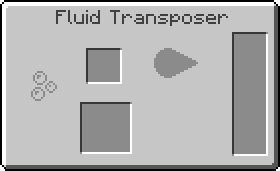



2000RF
500mB
Usage
Glowstone Illuminator can be used to create the following items:

Videos
| ||||||||||||||||||||||||||||||||


 Discussion


.png)
.png)
.png)
.png)


