
32,864
ARTICLES
ON THIS WIKI
Redstone Plate (Thermal Expansion)
| This article is about Thermal Expansion's Redstone signal machine. You may be looking for the crafting material Redstone Plate (GregTech 4). |
| Redstone Plate | |
|---|---|
 | |
| Name | Redstone Plate |
| Source Mod | Thermal Expansion |
| ID Name | ThermalExpansion:Plate:1
|
| Type | Block |
| Stackable | Yes (64) |
| Blast Resistance | 75.0 |
| Hardness | 15.0 |
| Solid | Yes |
| Transparent | Yes |
| Affected by Gravity | No |
| Emits Light | No |
| Flammable | No |
| Required Tool |   |

Redstone Plate is an item added by Thermal Expansion. While activated by a player, mob or dropped entity it transmits a sustained redstone signal. It can be configured to trigger locations up to sixteen blocks away in a straight line without needing a direct connection, acting as a limited type of wireless redstone. Shift + right-click with a Crescent Hammer to pick it back up. The plate is not redstone sensitive itself and requires no power.
Configuration

The Redstone Plate sends a redstone signal one Y-level below itself; redstone cannot connect directly to its sides as one might expect. It can be attached to any block face in any orientation or left floating. The initial direction of the plate is determined by where the player is looking relative to the block it will be on. Attached to the middle of the block face it will place the [+] symbol, look at one of the edges and it will have a [^] symbol instead.
It's activated by any player, entity or mob that shares its block space. The signal can be transmitted in any cardinal direction but only one can be selected. The possible directions can be cycled through by right-clicking with a Crescent Hammer or bringing up the GUI with the Multimeter and clicking on the plate's icon to cycle. The [+] will transmit in the same direction the plate is facing; up if it's on the ground facing the sky, or down if it's on the underside of a block. The [-] symbol does the opposite. The [^] symbols transmit in the pointed direction.
The plate's initial Distance can be adjusted in its GUI and initially is set at the maximum sixteen blocks (1 <-> 16). This is where the signal starts. The Strength (0 <-> 15) affects how strong a signal is sent, starting at the chosen Distance. The Duration (2 <-> 40) sets how long the pulse lasts, in ticks, after the plate stops being activated. Finally the plate icon can be clicked to cycle through its directional options, same as with the Crescent Hammer. Shift-clicking on any of the +/- buttons will adjust them by a value of 10 instead of 1.
Security
A Signalum Security Lock can be applied to a Redstone Plate, allowing it to be set to Owner Only, Public or Restricted use.
Recipe
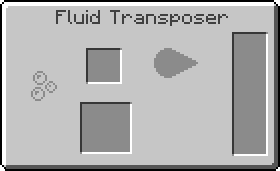
Can be made in the Fluid Transposer or Casting Table if Tinkers' Construct is installed.




Usage
Redstone Plate (Thermal Expansion) can be used to create the following items:





Videos
| |||||||||||||||||||||||||||||||||||||||||||||||||||||||||||||||||||||||||||


